Caption a photo
Selfies, pet photos and screenshots all work. Transparent PNG stickers stay transparent after export.
Free · No watermark · Nothing uploaded
Add text to images, GIFs and videos. Pick a template, choose a font, and export a meme ready to share in seconds.
Step 1 · Add your media
Works with JPG, PNG, WebP, HEIC, animated GIFs, and MP4, MOV or WebM videos. Everything is processed in your browser—nothing is uploaded.
No file handy? Try a sample
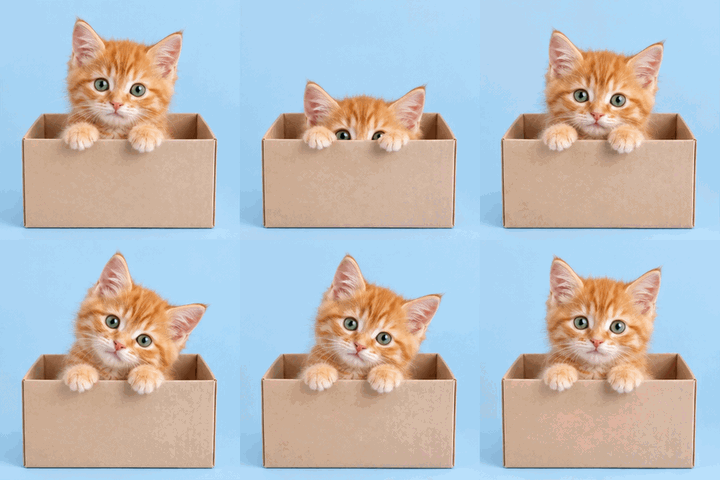 HELLO?JUST CHECKING
Three steps
No app, no Photoshop. Open the page, add your media, write a line, and you’re done.
Choose a file, drop it into the editor or paste a screenshot. JPG, PNG, WebP, HEIC, animated GIF, MP4, MOV and WebM all work.
Choose Classic, Sticker, White bars, Black bars or Subtitle. Add top and bottom text, then adjust the font, color, size and crop. The preview updates as you type.
Save images as PNG or JPG, keep GIF animation intact, and turn video clips into GIFs or captioned videos with sound. Then share them anywhere.
Templates
The same picture reads differently in each template. Every example below was made with this meme maker.

White text with a black outline, right on the picture. The timeless meme look.
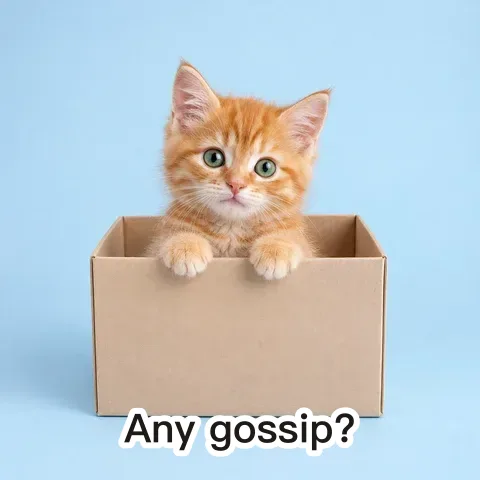
Dark text with a thick white outline, like the stickers people send in chats. Readable on any background.
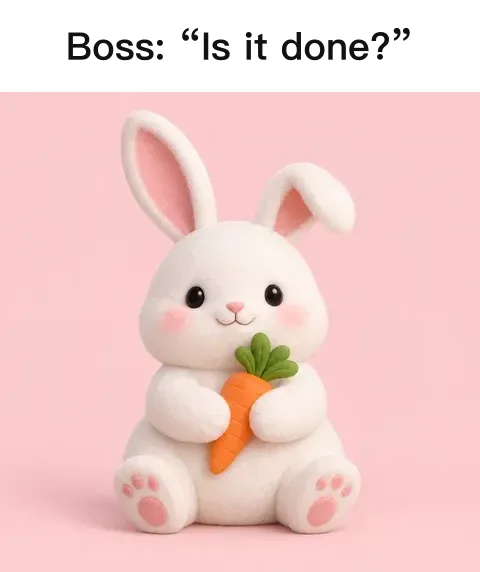
Captions sit in white bars outside the picture, so nothing in the photo is covered.
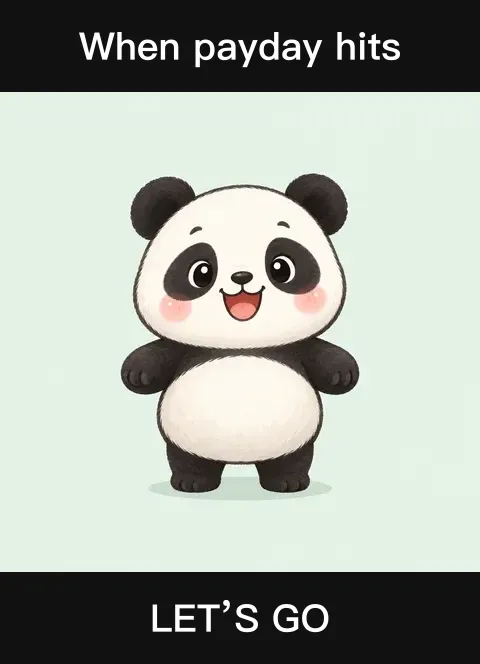
White text on black bars for a cinematic, dramatic look.
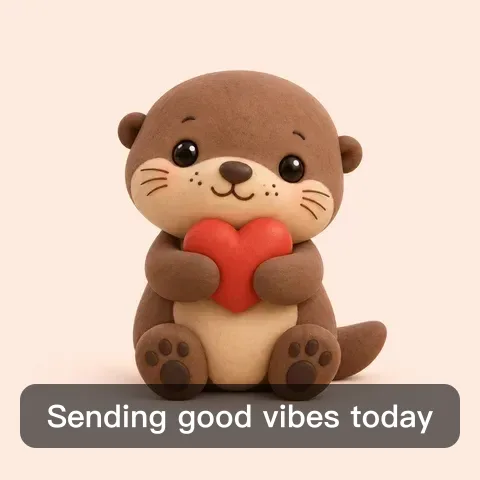
A soft translucent box behind the text, like video subtitles. Great for everyday photos.
Any media
Selfies, pet photos and screenshots all work. Transparent PNG stickers stay transparent after export.
Text is added to every frame, keeping the original timing and loop. Transparent GIFs stay transparent with overlay templates.
Trim a clip, then export a GIF (up to 15 seconds, with a frame-rate choice) or a captioned video that keeps the original sound.
Why this meme maker
Many online tools upload your files, make you wait, and watermark the free version. This one does everything right in your browser—faster and more private.
Everything runs in your browser. Your photos and videos never reach our servers.
Open the page and start. Exports never carry a watermark.
Smart line wrapping for English and Chinese, plus bold, playful and brush fonts. Long captions shrink to fit instead of spilling off the image.
Switch to 1:1 at 240×240 in one tap for chat-ready stickers.
Sizing guide
Pick the ratio and size for where the meme is going, so it looks sharp without a heavy file.
| Use | Ratio | Size (px) | Format |
|---|---|---|---|
| Chat stickers | 1:1 | 240 × 240 | GIF / PNG |
| Group chats and social posts | Original or 4:5 | 480 – 1080 | PNG / JPG |
| Stories, Reels and short video | 9:16 | 720 × 1280 | MP4 |
| Screenshots and movie clips | 16:9 | 480 – 720 | GIF / MP4 |
Inside an app’s built-in browser, press and hold the finished image to save it.
Single memes are perfect for quick replies. For a matching set starring one character, use AI sticker generation to draw 24 at once, then follow the sticker-making guide to cut and download them.
Caption tips
Half of a great meme is the picture; the other half is the line. Six tips to make yours hit.
A meme should read in a glance. “Nope” lands harder than a full sentence.
Use the top line for the situation and the bottom line for the reaction. It’s the classic structure for a reason.
Let the face or motion lead. A wave says “bye”; wide eyes say “wait, what?”
If text would cover the face, switch to a bar template so the caption sits outside the picture.
Keep the outline on busy backgrounds, or switch to the subtitle template.
One photo with different captions becomes a set. For a full pack starring one character, generate 24 stickers with AI.
FAQ
Yes, it’s completely free with no sign-up, and exports never carry a watermark.
No. Files are read and processed locally in your browser, and exports are saved straight to your device. Our servers never see your media.
Images: JPG, PNG, WebP and HEIC (where the browser supports it, such as Safari). Animations: GIF. Video: MP4, MOV, WebM and other formats your browser can play. Images and GIFs up to 50 MB, videos up to 500 MB.
Yes. Text is added frame by frame, keeping every frame, the timing and the loop. Transparent GIFs keep their transparency with overlay templates.
Upload the video, set the start and end of your clip, choose a frame rate and export a GIF. GIFs can be up to 15 seconds; shorter clips and smaller sizes make smaller files.
Tick “Keep audio” and the exported video includes the clip’s original sound. Safari typically exports MP4; Chrome exports MP4 or WebM depending on support.
After exporting, tap Share / Save or download the file to your photos, then send it in any chat. Most chat apps also let you add a GIF or image from your photos as a custom sticker. If downloads don’t work inside an app’s browser, press and hold the finished image to save it.
Yes. It works in modern mobile browsers such as Safari on iPhone and Chrome on Android. After exporting, use Share / Save to put it straight into your photos.
Bold sans, Impact classic, ZCOOL HuangYou, ZCOOL KuaiLe and a brush script. If a web font can’t load on your network, a system font is used automatically.
The meme maker captions media you already have—free and instant. The AI sticker maker draws 24 brand-new, matching stickers from a description or reference image, ideal for a full pack.
Still have a question? Email support@biaoqingchufang.com
Upload a picture, write a line, and send it to your friends.
Start making a meme ↑