30–60 s · Transparent · 2 credits each
AI Sticker Generator: Turn Any Photo into a Sticker
Upload a selfie, a pet photo or a picture of a toy, pick a theme, and AI turns it into a transparent die-cut sticker—a wizard, a pirate, an astronaut, or an anime, pixel or watercolor version. No photo? Describe a character instead. Add a few words of text if you like, then download a PNG or a WhatsApp-ready WebP.
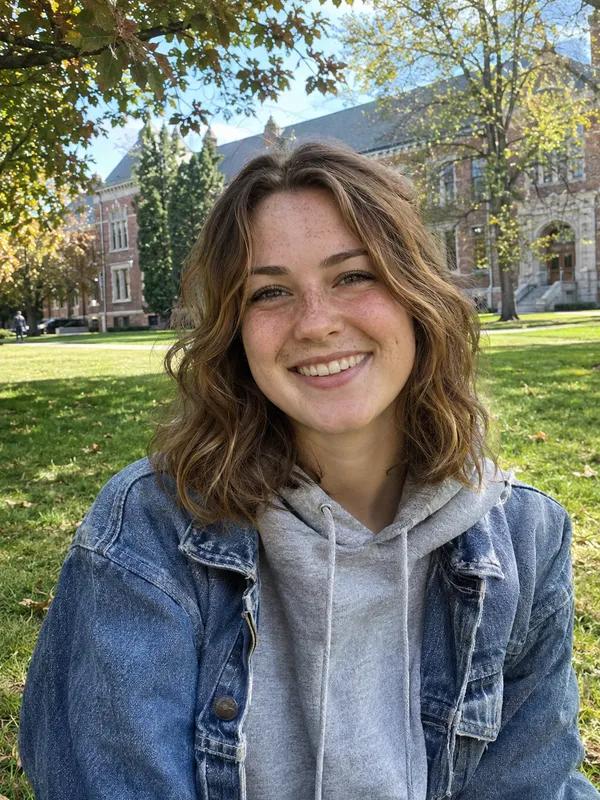
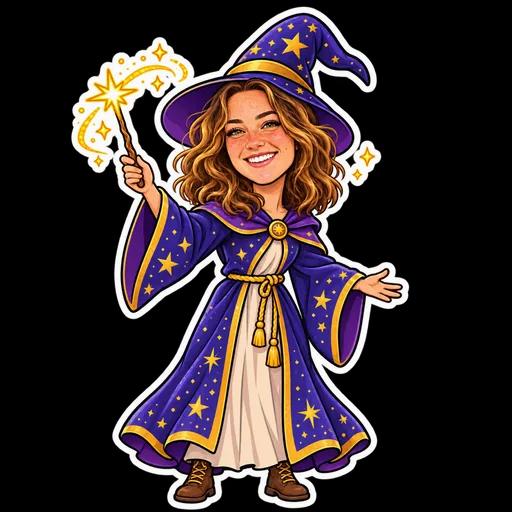 Wizard
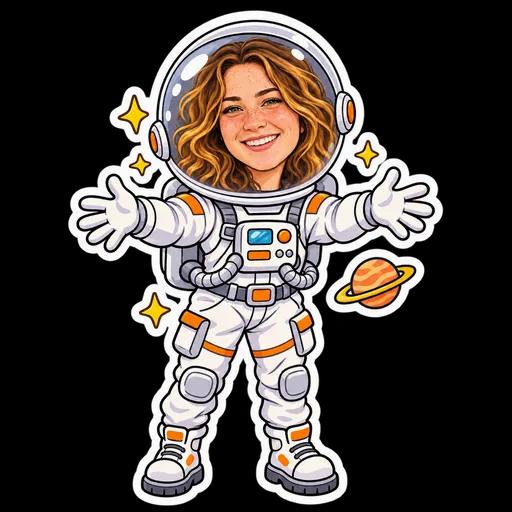 Astronaut
 Coffee
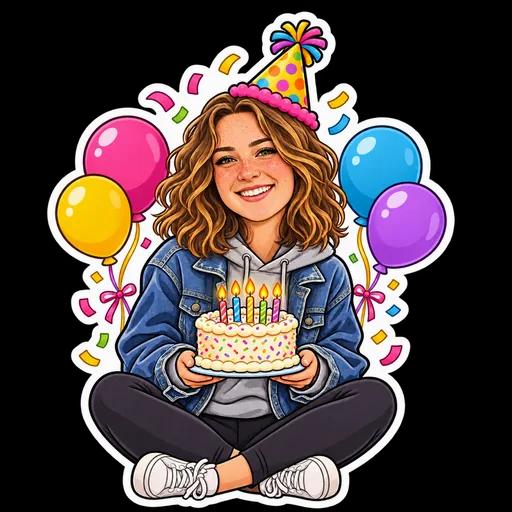 Birthday
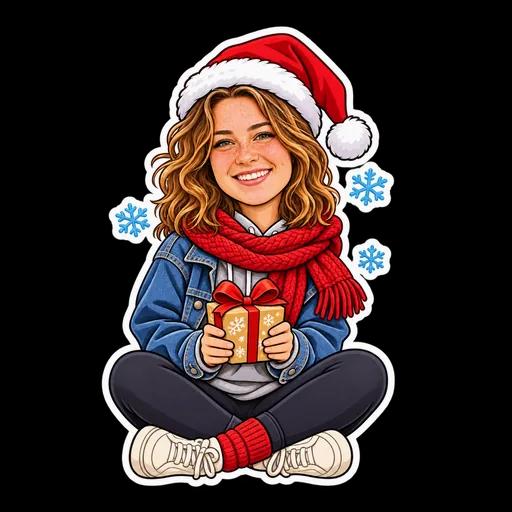 Christmas
 3D plush
One snapshot, each sticker made with this page’s themes in one try, unedited. The example photo shows a fictional person made with AI.
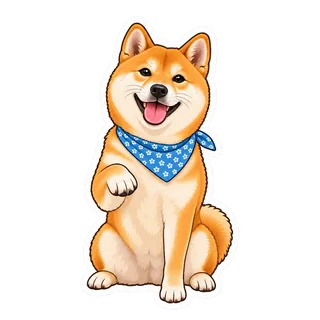
Example: Classic
Upload your photo; your sticker appears here
- A photo or a description
- 46 themes and styles
- Transparent, white die-cut border
- Optional sticker text
- 2 credits, refunded on failure
- No watermark
The AI sticker generator at a glance
Sticker Kitchen’s AI sticker generator turns one photo—or a description—into one transparent sticker. Pick a theme or art style and in 30–60 seconds the AI draws a 1024×1024 PNG with a white die-cut border by default and optional text. Each sticker is 2 credits, refunded on failure, and your stickers stay in your account. For a whole matching set of one character, use the AI sticker pack maker.
- Input
- A photo (a face, a pet, a toy or a character) or a description up to 200 characters
- Themes
- Classic, Wizard, Pirate, Astronaut, Superhero, Royalty, Ninja, Knight, Cowboy, Detective, Chef, Doctor, Dragon, Dinosaur, Unicorn, Fairy, Mermaid, Vampire, Food, Bubble tea, Coffee, Gamer, Music, Sports, Travel, Summer, Cozy, Floral, Love, Birthday, Christmas, Lunar New Year, Halloween, Valentine's Day, Easter, Mid-Autumn, Graduation, Winter, Anime, Pixel art, Watercolor, 3D plush, Clay, Pop art, Retro, Doodle
- Sticker text
- Optional, up to 30 characters, lettered in by the AI
- Output
- 1024×1024 transparent PNG with a white die-cut border by default (optional); one-click sizes for WhatsApp (512×512 WebP under 100 KB), Telegram and Signal (512 PNG) and Discord (320×320)
- Time
- About 30–60 seconds
- Price
- 2 credits each, refunded on failure; new accounts get 4 free
Three steps
How to turn a photo into a sticker with AI
Three steps—no drawing and no cutting out by hand.
- 1
Pick a theme
Popular themes are Classic, Wizard, Pirate, Astronaut, Superhero, Royalty; there are also birthday, Christmas and food scenes, plus anime, pixel art, watercolor and 3D plush styles.
- 2
Upload a photo
A clear, front-facing photo works best. Or skip the photo and describe a character. Add sticker text if you want words on it.
- 3
Generate and download
Press Make sticker and it’s ready in 30–60 seconds for 2 credits. Download the transparent PNG, or a 512×512 WebP for WhatsApp.
Which tool
One sticker, a whole pack, or a GIF?
Same character—it depends how many you want and whether it should move.
| AI sticker generator | AI sticker pack maker | Photo to GIF | |
|---|---|---|---|
| Per generation | 1 sticker, in a theme | 16 stickers of one character | 1 animated GIF |
| Best for | Avatars, a one-off fun sticker, printing | A full set for chats | Making your photo move |
| Price | 2 credits | 4 credits | From 4 credits |
For a whole set, use the AI sticker pack maker; to make it move, use photo to GIF.
Tips
How to get a sticker that looks like you
The clearer the photo, the better the likeness.
Use a clear, front-facing photo
Good light, with the face or pet filling at least half the frame. In a group photo the AI picks one subject.
Keep the text short
Two to six words read best. The AI can occasionally misspell, so check the result.
Ask for details
Write things like “sunglasses” or “a bigger smile” in the extra direction box.
FAQ
AI sticker generator FAQ
What is the AI sticker generator?
It turns a photo or a description into one transparent sticker: you pick a theme or style, the AI redraws the subject, adds a white die-cut border, and you download it.
How do I make a sticker from my own photo?
Pick a theme, upload your photo and press Make sticker; it’s ready in 30–60 seconds. Each sticker is 2 credits, refunded if it fails.
Is it free?
Each sticker is 2 credits. New accounts get 4 free credits—2 free stickers. Credit packs start at US$0.99 for 10 credits, and credits don’t expire.
Can I use the stickers on WhatsApp, Telegram or iMessage?
Yes—download the right size for each app under the result. WhatsApp: a 512×512 WebP under 100 KB, added with Create in the sticker tray. Telegram and Signal: a 512×512 PNG; in Telegram, send it to the @Stickers bot as a file. Discord server stickers: 320×320 PNG. In iMessage you can send or save the PNG like any image. For a whole pack of one character, use the AI sticker pack maker.
Is the background transparent? Can I skip the white border?
Yes, it’s transparent. The white die-cut border is on by default; untick it to leave it off, and you can add one later with the free outline tool.
Can I make one without a photo?
Yes. Describe the character—for example “a chubby shiba inu wearing glasses”—and the AI draws it.
Is my photo kept?
The photo is stored with your sticker in your account for viewing results and content-safety review. It isn’t made public; see the privacy policy.
Still have a question? Email support@biaoqingchufang.com
Pick a theme and turn your photo into a sticker
Make a sticker ↑
 No GIF yet? Make one from a photoMake your photo move with AIUpload a photo, describe a motion, get a GIF in about two minutes