Does compressing a GIF ruin it? We tested 10 GIFs at 500 KB, 256 KB and 100 KB
The short answer
You lose some quality, but usually less than you’d expect. We compressed 10 GIFs to 500 KB; viewed at a typical chat size of 240 px, their similarity to the original (SSIM) ranged from 0.924 to 0.992, averaging 0.961—hard to tell apart by eye. At 100 KB it fell to 0.752–0.950, and photos visibly blur. Lossless optimization alone barely helps (0%–11% smaller). What really shrinks a GIF is reducing its dimensions; on all 8 GIFs we compared, dropping frames cost more quality than resizing.
Key findings
- Lossless optimization saved only 0%–11%: most GIFs are already tightly packed.
- Average SSIM at 240 px was 0.961 at 500 KB, 0.931 at 256 KB and 0.851 at 100 KB.
- 512 px GIFs shrank to 219–381 px wide at 500 KB, mostly close to the 240 px stickers are shown at in chats.
- Squeezed to 500 KB, resizing averaged SSIM 0.960, dropping every other frame 0.882 and keeping one frame in three 0.841.
- Screen recordings, product shots and cartoons compress best; grass, landscapes and photo slideshows compress worst.
- Testing showed color reduction turning dark areas in photos into black specks. We switched to a better palette method and reran every test after the fix.
How we tested
- Samples: 10 GIFs of different kinds—photos, a cartoon, an illustration, a poster, a screen recording, a video clip, a photo slideshow and a 240 px sticker (table below). All came from Sticker Kitchen’s own tools and examples.
- Tool: the “compress to a target size” mode of Sticker Kitchen’s GIF compressor, powered by gifsicle 1.96.4 compiled to WebAssembly—the same code visitors run in the browser.
- Targets: 500 KB (WeChat stickers), 256 KB (Discord emoji) and 100 KB, skipping targets larger than the original. Each GIF also got a lossless-only pass.
- Quality: SSIM (structural similarity; 1 means identical) frame by frame, aligned by playback time, so a dropped frame is compared with whatever is on screen at that moment. We measured at 240 px (what you see in a chat) and at the original size.
- Machine: Chrome on an Apple M5 Pro MacBook. Times are for one target-size run from start to result.
Test GIFs
| GIF | Type | Size | Frames | Original | Lossless |
|---|---|---|---|---|---|
| Mascot sample | 3D cartoon | 512×512 | 48 | 2.7 MB | 2.6 MB (−2%) |
| Corgi | Pet photo | 512×512 | 32 | 2.2 MB | 2.2 MB (−0%) |
| Cow on grassland | Landscape photo | 512×512 | 48 | 2.3 MB | 2.3 MB (−1%) |
| Watercolor lake | Illustration | 512×512 | 32 | 1.9 MB | 1.9 MB (−0%) |
| Robot poster | Poster (text + graphics) | 512×512 | 32 | 1.7 MB | 1.7 MB (−0%) |
| Bubble tea | Product shot | 512×512 | 32 | 900 KB | 879 KB (−2%) |
| Video clip | Video to GIF (15 fps) | 480×480 | 86 | 4.7 MB | 4.5 MB (−5%) |
| Screen recording | Screen recording | 800×500 | 51 | 1.3 MB | 1.1 MB (−11%) |
| Photo slideshow | Photo slideshow | 360×360 | 16 | 607 KB | 607 KB (−0%) |
| 240 px sticker | Chat-size sticker | 240×240 | 16 | 307 KB | 307 KB (−0%) |
Results at 500 KB, 256 KB and 100 KB
Each cell shows the compressed width, file size and SSIM at 240 px. Above 0.95 is hard to tell apart; around 0.90 looks slightly soft up close; below 0.85 is visibly blurrier.
| GIF | 500 KB | 256 KB | 100 KB |
|---|---|---|---|
| Mascot sample | 234×234 · 494 KBSSIM 0.972 | 153×153 · 255 KBSSIM 0.948 | 79×79 · 93 KBSSIM 0.880 |
| Corgi | 219×219 · 469 KBSSIM 0.961 | 153×153 · 238 KBSSIM 0.909 | 93×93 · 94 KBSSIM 0.773 |
| Cow on grassland | 223×223 · 477 KBSSIM 0.924 | 155×155 · 230 KBSSIM 0.868 | 96×96 · 87 KBSSIM 0.757 |
| Watercolor lake | 243×243 · 470 KBSSIM 0.949 | 169×169 · 235 KBSSIM 0.910 | 103×103 · 90 KBSSIM 0.823 |
| Robot poster | 278×278 · 459 KBSSIM 0.966 | 195×195 · 243 KBSSIM 0.939 | 116×116 · 93 KBSSIM 0.841 |
| Bubble tea | 381×381 · 485 KBSSIM 0.985 | 255×255 · 247 KBSSIM 0.977 | 150×150 · 98 KBSSIM 0.950 |
| Video clip | 155×155 · 469 KBSSIM 0.967 | 105×105 · 249 KBSSIM 0.935 | 61×61 · 95 KBSSIM 0.851 |
| Screen recording | 475×297 · 488 KBSSIM 0.992 | 299×187 · 237 KBSSIM 0.979 | 162×101 · 96 KBSSIM 0.936 |
| Photo slideshow | 237×237 · 456 KBSSIM 0.933 | 170×170 · 248 KBSSIM 0.862 | 102×102 · 98 KBSSIM 0.752 |
| 240 px sticker | Already smaller | 228×228 · 245 KBSSIM 0.977 | 128×128 · 97 KBSSIM 0.946 |
See for yourself
The same moment from each version at about 360 px wide, then a crop at the original size, with each pixel doubled.
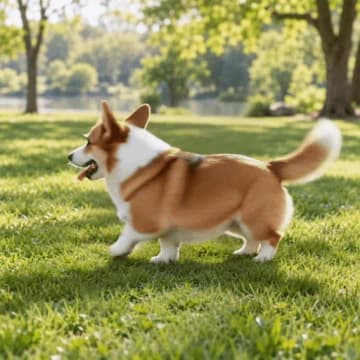
Original · 2.2 MB
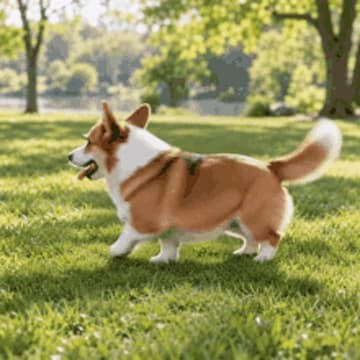
469 KB · SSIM 0.961
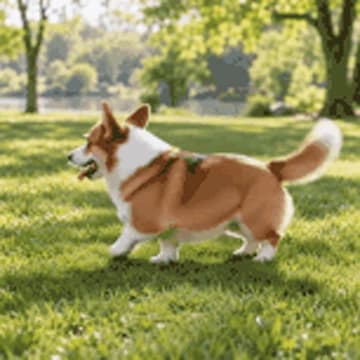
238 KB · SSIM 0.909
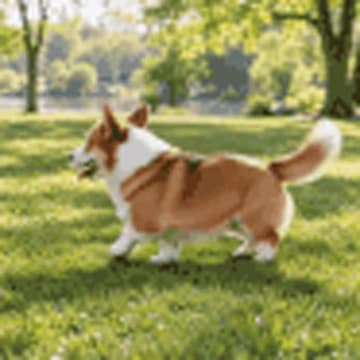
94 KB · SSIM 0.773
Crop at original size

Original
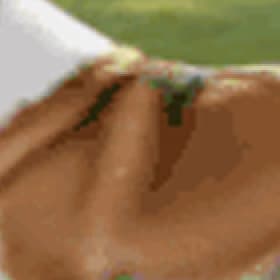
500 KB
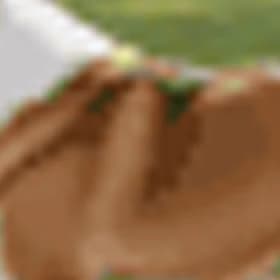
100 KB
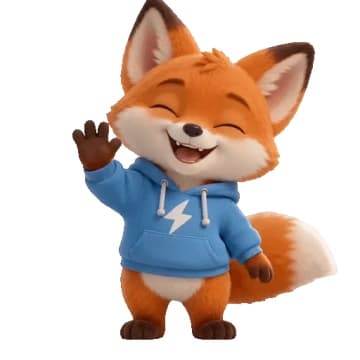
Original · 2.7 MB
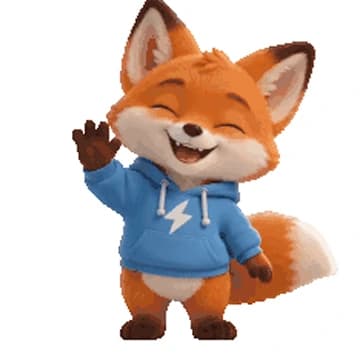
494 KB · SSIM 0.972
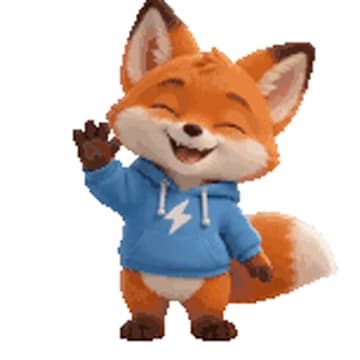
255 KB · SSIM 0.948

93 KB · SSIM 0.880
Crop at original size
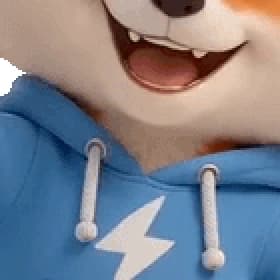
Original

500 KB
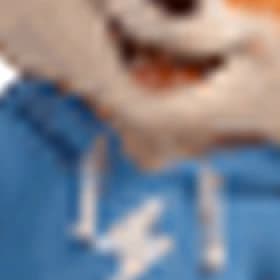
100 KB
Original · 1.3 MB
488 KB · SSIM 0.992
237 KB · SSIM 0.979
96 KB · SSIM 0.936
Crop at original size
Original
500 KB
100 KB

Original · 1.9 MB

470 KB · SSIM 0.949
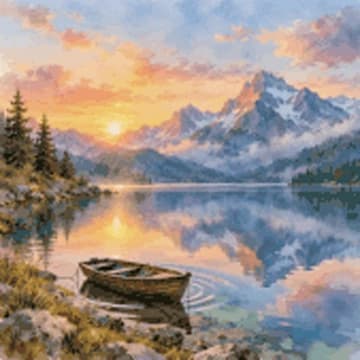
235 KB · SSIM 0.910

90 KB · SSIM 0.823
Crop at original size

Original

500 KB

100 KB
Resize, drop frames or just squeeze harder?
To check our compression order, we squeezed 8 of the GIFs to 500 KB several different ways and compared how much quality each kept.
| Approach | What it does | Average SSIM (240 px) | Worst GIF |
|---|---|---|---|
| Resize (what we do) | 128 colors + medium lossy, then scale down to fit | 0.960 | 0.928 |
| Lighter compression, smaller | 256 colors + light lossy, scaled down further | 0.957 | 0.925 |
| Harder compression, larger | 64 colors + strong lossy, scaled down less | 0.958 | 0.925 |
| Drop every other frame | Keep 1 frame in 2 at the same length, scaled down less | 0.882 | 0.720 |
| Keep 1 frame in 3 | Keep 1 frame in 3 at the same length, scaled down even less | 0.841 | 0.660 |
| Keep full size | 32 colors + strongest lossy, no resizing | 0.964(over 500 KB) | 0.936 |
Keeping full size didn’t get a single GIF under 500 KB, however hard we squeezed, so those SSIM values come from larger files and are for reference only.
Bottom line: to hit a size target, shrink the dimensions first. Dropping frames saves less and makes motion choppy, so it comes last. The resizing variants are close to each other.
A problem we found and fixed
In the first round, color reduction used gifsicle’s default palette method, which mapped dark greens and browns in photos straight to black, leaving black specks in grass and fur. Switching to blend-diversity removed them and raised the average SSIM of 9 GIFs at 500 KB from 0.953 to 0.962, at about the same dimensions. Sticker Kitchen’s compressor was updated on 2026-10-26, and every number here comes from the fixed version. We also found that a lossless pass can make an already well-packed GIF slightly larger; the tool now keeps the original in that case.
How Sticker Kitchen hits a target size
- Lossless optimization: repacks the file without changing a pixel. Stop if it fits.
- 256 colors + light lossy: barely visible. Stop if it fits.
- 128 colors (blend-diversity palette) + medium lossy, then scale the dimensions down to fit the target.
- Only if it must shrink below half size and still plays at 8 fps or more, drop every other frame (same total length) and spend the savings on dimensions.
- Once it fits with clear room to spare, try a slightly larger size, and keep the largest result under the target.
Practical tips
- WeChat stickers (500 KB, 240×240)
- Pick “WeChat 500 KB”. Every GIF we tested looked about the same at chat size after compressing to 500 KB.
- Discord emoji (256 KB)
- Pick “Discord 256 KB”. Photos soften a little; cartoons and screenshots barely change.
- You need 100 KB
- Trim the GIF first, or use a simpler scene. Photos and landscapes lose a lot at 100 KB.
- You must keep full size
- GIF can rarely do it. Convert large animations to MP4, usually a fraction of the GIF’s size.
GIF to MP4 keeps full size at a fraction of the file size.
Limitations
- Only 10 GIFs, mostly from our own tools, which already optimize their output—so lossless savings were small. GIFs exported elsewhere may shrink more.
- SSIM measures structural similarity; it’s less sensitive to color shifts and choppy motion, so trust your eyes too.
- Times depend on the device; phones are usually slower.
Dimensions, sizes, SSIM and times for every GIF and target: Download CSV
FAQ
- Does compressing a GIF reduce quality?
- Lossless optimization doesn’t, but it usually saves only 0%–11%. Big savings cost some quality—mainly smaller dimensions, fewer colors and slight grain. In our test, GIFs compressed to 500 KB averaged SSIM 0.961 at chat size.
- Will a GIF look blurry at 500 KB?
- Not at a chat size around 240 px; the lowest SSIM in our test was 0.924. But a 512 px GIF ends up 219–381 px wide at 500 KB, so it looks soft if you blow it up.
- Is it better to resize or drop frames?
- Resize. At 500 KB, resizing averaged SSIM 0.960 versus 0.882 for dropping every other frame, and dropped frames make motion choppy.
- Why does my compressed GIF have black specks?
- Usually the palette picker mapped dark colors to black when reducing colors. Sticker Kitchen uses a blend-diversity palette to avoid it.
- Which GIFs compress best?
- GIFs with simple backgrounds and few colors—screen recordings, product shots, cartoons. At 100 KB, the bubble tea, 240 px sticker, screen recording kept the most quality in our test; the photo slideshow, cow on grassland, corgi kept the least.
- Do I have to upload my GIF?
- Not with Sticker Kitchen. Compression runs in your browser, and the file never leaves your device.
Compress your GIF the same way
Free, no upload, no watermark. Hit any target size and compare quality side by side before you download.
Open the GIF compressorRelated tools:GIF compressor · GIF to MP4 · Video to GIF · All GIF tools